
From testing to advocacy: How Smart Nation Ambassadors helped make Singpass passkey easier to adopt
15 October 2026
Category
Tech for Public Good
Digital Government
See how Smart Nation Ambassadors tested Singpass passkeys before launch and how their feedback made the feature easier for everyone to use.
.png)
Trying a new technology for the first time can feel unfamiliar and daunting, especially when it changes something as routine as logging in to Singpass.
So, how can the Singpass team better help users understand and feel more confident using passkeys, a safer way to log in with Singpass (opens in new tab)?
They started by involving users early.
Learning together with our Smart Nation Ambassadors
Before the launch of passkeys in July 2026, more than 20 volunteers from the Smart Nation Ambassadors (opens in new tab) (SNAs) community joined the Singpass team for the first Smart Nation Ambassadors Advocacy Programme.
During the session, the SNAs learned how passkeys protect users against phishing scams and were among the first members of the public to try the new login experience.
.JPG)
The learning went both ways. As the SNAs tried creating and using a passkey, they shared their questions, observations, and suggestions with the Singpass team.
Their feedback gave the team valuable insights into how users understood the feature, where they needed more guidance, and how the experience could be made clearer.
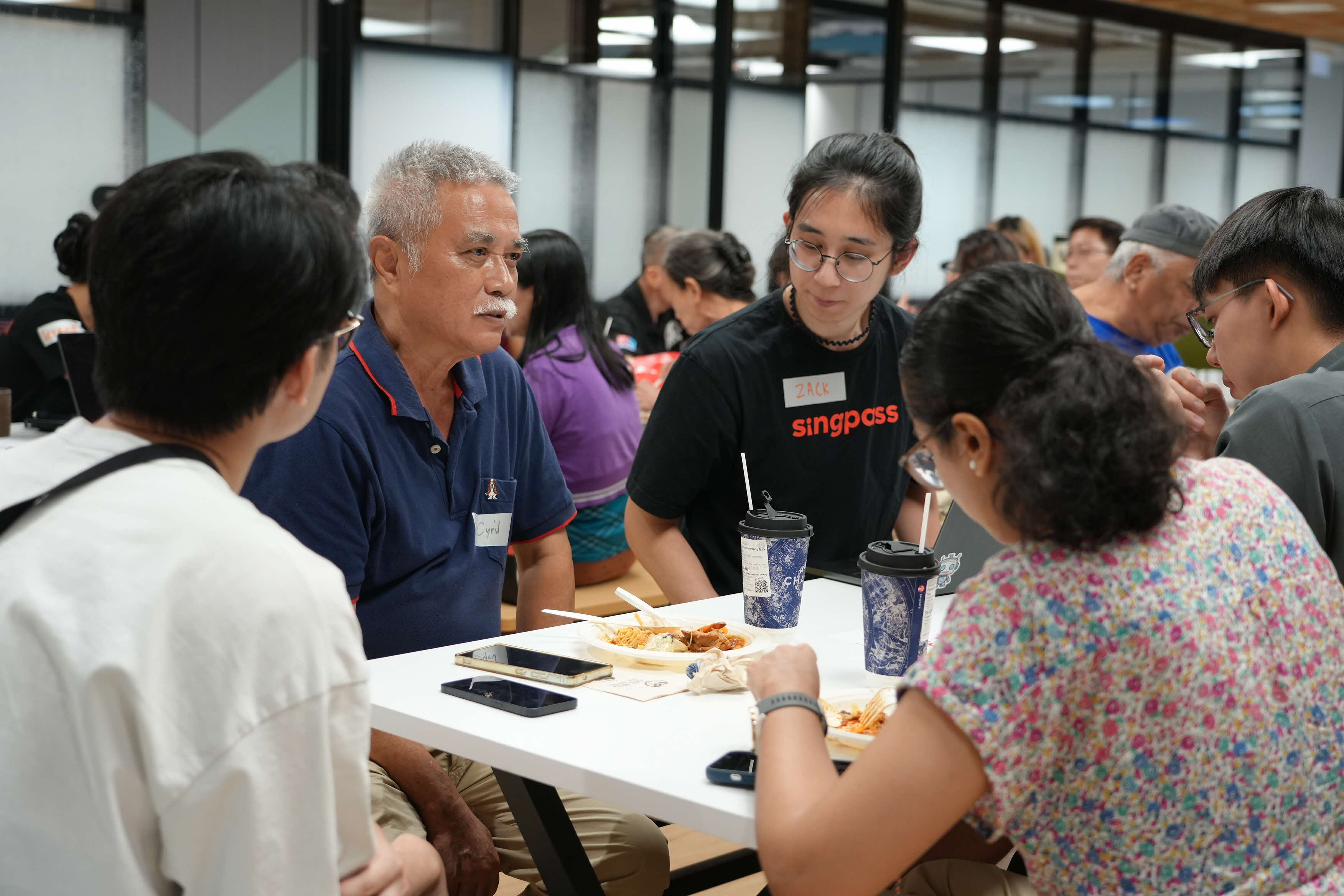
Turning user feedback into improvements
A feedback session with Smart Nation Ambassadors (SNAs showed the Singpass team where the passkey experience, and the communications around it, could work better.
Seniors want to learn but need time to do it
SNAs shared that seniors would like to better understand how new technologies can protect them. To do that, they need accessible platforms and enough time to learn through guided education. The SNAs suggested more community roadshows for seniors, and several expressed interest in supporting the sessions and volunteering as advocates.
This feedback shaped the passkeys rollout strategy significantly, where the Singpass team seeks to engage the public more actively.
More options, yet more hesitation
The team also tested an early prototype of the improved login experience with SNA volunteers and gathered valuable insights. One key finding was that many users experienced choice paralysis when shown multiple login methods, particularly with the introduction of passkeys as a new option. This challenged the team’s initial hypothesis that users would prefer full autonomy in selecting their preferred login method. As a result, the final enhancement introduced smart defaults to guide users towards the most suitable method available, while keeping the other options easy to find as fallbacks.
By testing with members of the public, the team could improve not only how the feature worked, but also how it was explained. This supports GovTech’s approach to building digital services with users, not just for them.
Hear from the SNAs
Scams targeting Singaporeans are growing more sophisticated, and phishing was the second most common scam type in 2025 (opens in new tab). Having seen this threat grow, SNA Mr Sachin has become a strong advocate for more secure authentication.
.png)
As a member of the Silver Generation, SNA Mdm Rahinah supports the move to passkeys and is taking the initiative to help seniors get started with confidence.
.png)
Some of the SNAs later joined the Singpass team at the Nee Soon AI & Innovation Festival on 25 July 2026.
There, three Ambassadors helped seniors and other members of the public understand why passkeys are safer and how they can be used to log in to services.
Having tried the feature themselves, the SNAs could explain it in relatable terms and share what they had learnt with others in the community.
Their involvement shows how citizen participation can go beyond giving feedback. With the right knowledge and support, users can also help others feel more confident about adopting new technology.
Looking ahead, the Singpass team will continue involving SNAs to help test out new features and in future launch events for Singpass.
How to set up your Singpass passkey (3 steps)
Passkeys offer stronger protection against phishing scams because they work only with the legitimate Singpass login domain and cannot be used on fake websites.
To create your passkey:
Update your Singpass app to the latest version.
Open the app and tap the “Create passkey” banner on the home screen.
Follow the onscreen instructions.
Once it is set up, you can choose to "Use passkey" the next time you log in with Singpass.
Find out more about Singpass passkeys here! [PDF, 6.61 MB] (opens in new tab)
Interested in becoming a Smart Nation Ambassador?
If you enjoy learning about new technology, sharing your views, and helping others benefit from digital services, consider joining the Smart Nation Ambassadors community.
As an SNA, you may have opportunities to learn about upcoming initiatives, provide feedback, and help fellow users navigate new technology with confidence.
Register here: https://go.gov.sg/join-sna-sp (opens in new tab)